Product Design Video Presentation
A technical guide to presenting product designs on video, covering format selection across physical and digital products, storyboard blueprints, audio synchronization, and rapid prototyping workflows.
Free download · 4.9 MB11 editable slides · PowerPoint format
Download the editable PPTX
PPTX · 4.9 MB · 11 editable slides · Free to edit and reuse with attribution to Yiha.ai
View every slide
Use ← →, Home/End, or swipe on mobile
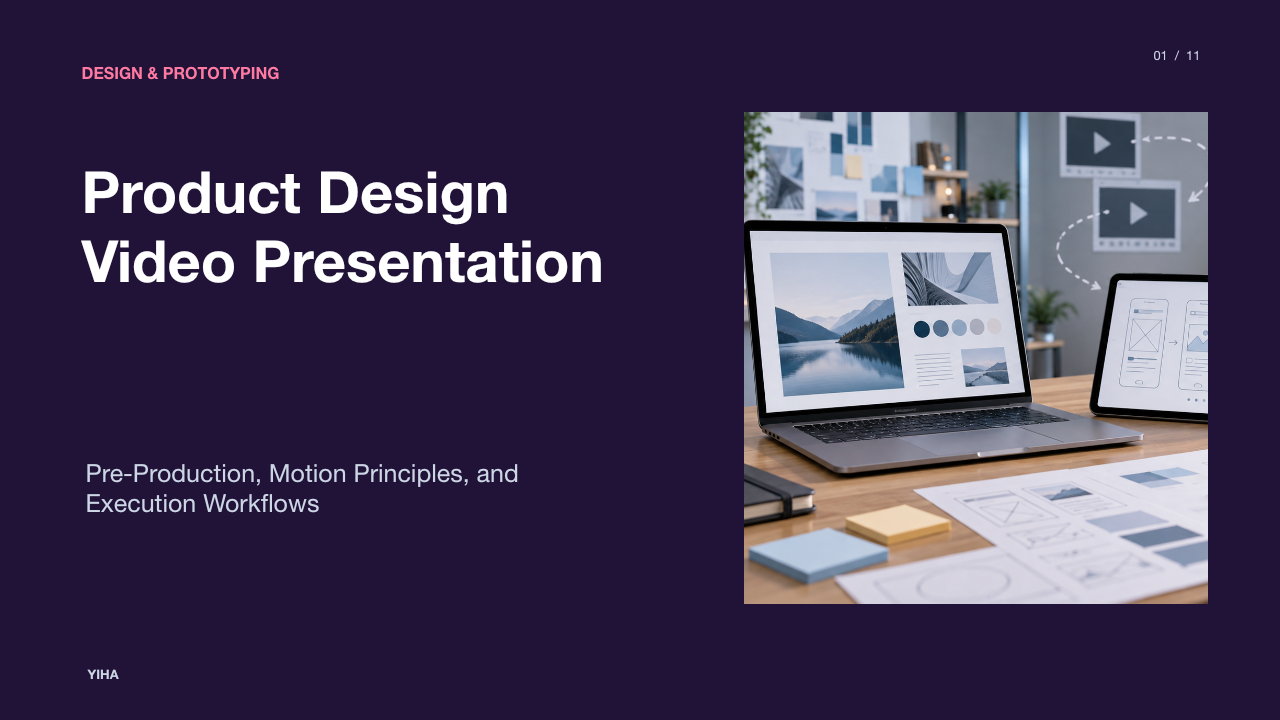
Communicating product design through video requires translating abstract system architecture, physical ergonomics, and interactive workflows into concrete mental models. While static slide decks convey fixed interface layouts and dimensional drawings, motion demonstrates continuity, interaction timing, and physical affordance. Structuring a product design video presentation requires a disciplined pre-production workflow, appropriate format alignment, and systematic design reviews to verify technical precision and viewer comprehension.
The Role of Video in Communicating Product Design
Video bridges the gap between static wireframes and functional reality by displaying how a product behaves across time. In design communication, presenting an interaction sequentially allows stakeholders to observe state transitions, input feedback, and visual hierarchy under realistic operating conditions. As detailed in Saro 2's Product Video Guide, moving from an unformed concept to an effective product video requires structuring scenes around clear strategic objectives and classic narrative arcs rather than relying on isolated visual moments.
Audiovisual demonstrations help viewers construct accurate mental models of complex workflows. Rather than serving as emotional advertising, a product video functions primarily as an educational walkthrough. According to Guideflow's Storyboard Overview, pre-visualization tools allow product teams to translate conceptual scripts into visual frames before committing resources to full rendering or filming. By establishing a narrative sequence early, design teams ensure that functional mechanisms are communicated clearly.
However, video presentations carry definite operational constraints. A video provides a linear, non-interactive representation of a user journey. Viewers cannot manipulate controls directly or test alternative branch logic during playback. Presenters must therefore select core tasks that demonstrate fundamental value while acknowledging edge cases in accompanying documentation.
Selecting Video Formats Across Physical and Digital Products
Selecting an improper video format undermines credibility and confuses viewers. An industrial tool presented purely through abstract 2D flat vectors obscures weight, scale, and tactile operation. Conversely, filming a digital interface on a physical monitor using an external camera introduces reflections, poor contrast, and moire patterns.
According to StudioBinder's Product Explainer Guide, presentation formats must align with the product domain:
- Live-Action Studio Shoots: Suited for hardware devices, handheld electronics, and physical tools. Filming a person holding and manipulating a device validates ergonomics, texture, and industrial construction.
- Motion Graphics and Screen Recording: The practical approach for SaaS platforms and digital products. Screen capture recorded at standard resolutions such as 1080p, layered with vector callouts, showcases real interface interactions cleanly without environmental interference.
- Animated Explanations: Essential when explaining backend infrastructure, distributed data flows, or conceptual systems that cannot be captured with a physical camera or screen recorder.
As explained in Kasra Design's Production Storyboard Guide, matching budget and schedule to the chosen medium is essential. Screen captures and lightweight motion graphics offer fast turnaround for iterative software teams, whereas multi-camera live-action or complex 3D modeling demands extensive pre-production coordination.
Pre-Production Storyboarding as a Functional Blueprint
Storyboarding serves as the architectural floorplan for a product design video. Rather than serving as an artistic portfolio, the storyboard functions as a pre-production checklist that establishes shot framing, camera movement, and pacing before rendering or filming commences.
In Kasra Design's Storyboard Analysis, a typical 60-second video often maps across 15 to 20 storyboard panels, with each panel representing a single frozen moment. Each panel documents four critical specifications:
- Framing and Shot Size: Sketch showing whether the scene is a wide establishing view, medium perspective, or tight close-up on a component.
- Camera Direction: Explicit indicators for pan, tilt, tracking, or zoom movements.
- Action Descriptions: Notes detailing physical hand actions, cursor clicks, state changes, or animated callout movements.
- Voice-Over Audio: The exact narration script or audio cue synchronized to that visual beat.
Techniques detailed in StudioBinder's Storyboarding Workflow emphasize using structured layouts with shot numbers and descriptive margins to troubleshoot gaps in logic. Adjusting a confusing interaction during the sketch stage requires redrawing a panel, whereas correcting an animation error during post-production can require rebuilding entire sequences.
Applying Core Visual Design Principles to Motion
Applying visual design principles to motion graphics requires controlling dynamic attention. In static layouts, visual hierarchy is spatial. In video, elements transform, enter, and exit over time, which requires deliberate compositional balance.
Educational material from Inside Out Art Teacher on Principles of Design emphasizes core fundamentals including balance, contrast, visual emphasis, rhythm, and unity. Applied to product presentations:
- Contrast and Visual Emphasis: When guiding user focus toward a specific interactive affordance, contrast separates primary elements from secondary noise. In a software video, dimming surrounding UI panels directs viewer attention to a newly opened modal dialog.
- Balance and Framing: Video frames require stable visual weight. Extreme jumps between off-center close-ups and wide shots disorient viewers unless balanced with clear focal anchors.
- Rhythm and Pacing: Motion timing should mirror authentic mechanical responsiveness. Artificial acceleration curves or abrupt cuts distort realistic system latency.
- Unity: Visual treatments, cursor styles, highlight colors, and typography must remain uniform across all frames, as noted in StudioBinder's Production Best Practices. Inconsistent visual styles between scenes make the presentation appear disjointed.
Synchronizing Audio Narration with On-Screen Action
Audio narration reinforces visual information, but timing errors create severe sensory conflict. If voice-over dialogue introduces an advanced reporting module while the video still displays basic authentication, the viewer is forced to split attention across competing messages.
As explained in Kasra Design's Video Storyboard Guide, placing voice-over script copy directly below corresponding storyboard panels allows production leads to verify that words directly support visual actions. Furthermore, subtle interface audio cues, such as button clicks or mechanical snaps, must be scheduled during pre-production rather than added arbitrarily in late editing.
Accessibility standards published by the W3C Web Accessibility Initiative on Transcripts highlight that complete media comprehension requires basic and descriptive text transcripts. Descriptive transcripts record spoken dialogue alongside essential non-speech sounds and on-screen visual movements, ensuring that viewers who are deaf, hard of hearing, or operating in silent environments can comprehend technical product demonstrations.
Generative AI and Rapid Video Prototyping Workflows
Generative artificial intelligence tools offer rapid prototyping methods for early concept visualization. These tools parse structured text prompts and scripts to assemble sequential storyboard frames and short video drafts.
According to Guideflow's AI Storyboard Report, automated platforms convert screenplays and scene descriptions into visual frames using diffusion models, enabling teams to explore shot composition and camera angles without manual drawing skills. Specialized platforms automate scene breakdowns, shot lists, and virtual camera placement.
In generative video synthesis, advanced models discussed in Saro 2's Product Video Analysis allow teams to render short draft clips from text descriptions to test scene flow. These rapid workflows enable designers to evaluate multiple narrative directions with stakeholders before investing in live studio crews or custom 3D modeling. However, generative drafts remain pre-visualization prototypes; final technical specifications require controlled vector graphics, CAD renders, or authentic software captures.
Linear Video Presentations Compared to Interactive Demos
While linear video provides strong narrative control, it operates differently from interactive demonstration sandboxes. Design teams must select the appropriate format based on evaluation goals.
As highlighted in Guideflow's Comparative Study, video storyboards show what a workflow looks like, but interactive demos allow prospective users to click through actual software flows and experience branching paths directly. For software evaluation, interactive demos enable hands-on task execution.
Conversely, linear video remains preferred for:
- Executive Overviews: Delivering a concise narrative within a predetermined presentation schedule, as described by StudioBinder's Explainer Guide.
- Hardware and Tactile Interaction: Capturing physical scale, material finish, and real-world handling that digital sandboxes cannot reproduce.
- Unbuilt Product Concepts: Demonstrating conceptual system architectures and future visions before code has been written.
Addressing Visual Drift and Production Limitations
Generative video synthesis introduces notable fidelity challenges when applied to precise industrial and software design. The most prominent risks are visual drift and object morphing.
As documented in Designkit's Sora 2 Technical Overview, generative systems frequently suffer from morphing artifacts, where logos, interface buttons, and fine surface textures distort during camera motion. To mitigate these distortions, specialized tools apply spatial memory and multi-image reference fusion to keep branding and geometry consistent across different camera angles. Furthermore, APIYI's Guide on E-Commerce Presets notes that structured camera presets, such as steady tracking dolly shots, help stabilize generative outputs.
Despite these algorithmic safeguards, AI video synthesis cannot guarantee exact mechanical tolerances or authentic UI micro-interactions. Generative tools should therefore be used to explore framing, pacing, and story structure, while final technical showcases should rely on screen recording, authentic 3D CAD renders, or clean vector motion graphics.
Executing Structured Pipelines and Design Review Gates
Producing a reliable product design video requires formal operational staging. Moving directly from an unapproved script to animation rendering leads to redundant revisions and technical inaccuracies.
According to production methodologies described in StudioBinder's Production Framework, the production pipeline advances through distinct operational checkpoints:
- Creative Brief: Define the specific target audience, user problem, primary product objective, and core message.
- Audio-Visual Scripting: Format the script into two columns, mapping spoken audio directly against corresponding visual actions.
- Storyboard Approval Gate: Review panels with product managers and engineering leads to verify interaction accuracy before production begins.
- Shot Lists and Call Sheets: For live-action shooting or 3D staging, construct explicit shot lists mapping camera lenses, angles, and scene numbers, using call sheets to organize shoot logistics.
- Post-Production and Delivery: Complete video assembly, audio mixing, descriptive transcript authoring, and multi-platform format encoding.
As described in Kasra Design's Production Guide, locking storyboard assets before animating prevents extensive rebuilds. Incorporating formal review gates ensures that every visual frame accurately conveys product specifications.
Research sources
- Sora 2 AI Video Generator: Fast Product Videos | Designkit · www.designkit.com
- Best 11 AI storyboard generators in 2026 for video and product demos - Guideflow Blog · www.guideflow.com
- Master the Sora 2 Product Video Generator for Ecommerce | Sora2 Blog | Saro 2 · saro2.ai
- Product Explainer Video: Types, Examples & Best Practices · www.studiobinder.com
- Video Production Storyboard: The Complete Guide - Kasra Design · www.kasradesign.com
- How to Storyboard a Video — Examples & Techniques · www.studiobinder.com
- Principles of Design Worksheets for Middle & High School · www.insideoutartteacher.com
- Transcripts | Web Accessibility Initiative (WAI) | W3C · www.w3.org
- Mastering Sora 2 E-commerce Video Templates: 7 Presets to Quickly Generate High-Conversion Product Videos - Apiyi.com Blog · help.apiyi.com